Introduction to Pxless Design
The digital landscape has undergone a dramatic evolution over the past decade, bringing about a fundamental shift in how developers and designers approach web development. The pxless methodology represents a revolutionary approach that moves away from traditional pixel-based design constraints toward more flexible, scalable solutions.
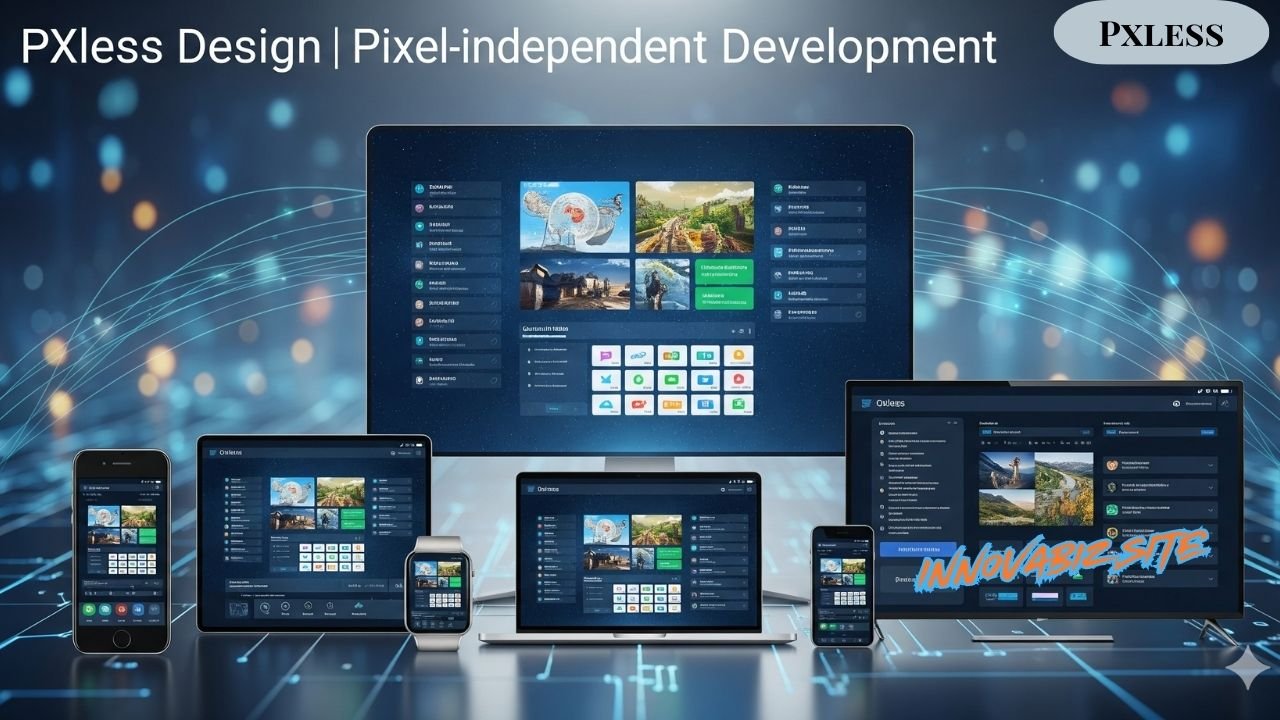
At its core, pxless design embodies the principle of creating interfaces that adapt seamlessly across different devices, screen sizes, and resolutions without relying on fixed pixel measurements. This approach recognizes that modern users access content through an increasingly diverse array of devices, from smartphones and tablets to desktop monitors and emerging technologies.
The evolution from pixel-based to pixel-independent design reflects the industry’s response to the challenges posed by responsive web design. Traditional fixed-pixel approaches often resulted in layouts that appeared broken or poorly optimized when viewed on different devices. The pxless philosophy addresses these limitations by embracing fluid, scalable design principles.
This shift matters significantly in modern web development because it directly impacts user experience, accessibility, and maintainability. Developers who adopt pxless methodologies find their projects more future-proof and adaptable to new technologies as they emerge.
The target audience for pxless design includes web developers, UI/UX designers, product managers, and anyone involved in creating digital experiences. Use cases span from simple corporate websites to complex web applications, e-commerce platforms, and progressive web apps.
Technical Foundation

CSS and Modern Web Standards
The technical foundation of pxless design rests heavily on modern CSS capabilities and web standards that support flexible layouts. Vector-based design principles form the cornerstone of this approach, emphasizing scalable graphics and layouts that maintain quality across different resolutions.
Understanding the distinction between SVG and raster graphics becomes crucial when implementing pxless strategies. SVG graphics scale infinitely without quality loss, making them ideal for icons, illustrations, and interface elements. Raster graphics, while still useful, require careful consideration regarding their implementation in flexible layouts.
CSS Grid and Flexbox implementations provide the structural foundation for pxless layouts. These technologies enable developers to create complex, responsive layouts without relying on fixed measurements. Grid systems can adapt automatically to available space, while Flexbox ensures proper alignment and distribution of elements.
Responsive units such as rem, em, vw, vh, and percentages replace traditional pixel measurements in pxless design. These units create relationships between elements that scale proportionally, maintaining visual hierarchy and spacing relationships across different screen sizes.
Scalable Design Systems
Component-based architecture plays a vital role in pxless implementations. By breaking interfaces into reusable components, teams can ensure consistency while maintaining flexibility. Each component can define its own scaling rules and adapt to different contexts.
Design tokens and variables centralize design decisions, making it easier to maintain consistency across large projects. These systems allow teams to define spacing, typography, and color relationships that scale appropriately without manual adjustment.
Fluid typography and spacing represent key aspects of pxless design. Instead of fixed font sizes and margins, these systems use mathematical relationships to ensure text remains readable and layouts stay proportional across devices.
Container queries and intrinsic sizing enable components to respond to their immediate context rather than just viewport size. This approach creates more intelligent layouts that adapt based on available space within their containers.
Implementation Strategies

Design Phase
The design phase of pxless projects requires a fundamental shift in thinking. Vector-first design workflows prioritize scalable assets from the initial concept stage. Designers must consider how their creations will adapt across different contexts rather than designing for specific screen sizes.
Scalable icon systems ensure visual consistency while maintaining crisp appearance at any size. These systems often rely on vector graphics and systematic approaches to iconography that work well within pxless frameworks.
Typography hierarchies without fixed pixels challenge traditional design practices. Instead of specifying exact font sizes, designers create proportional relationships that scale appropriately. This approach maintains visual hierarchy while ensuring readability across devices.
Color systems and contrast ratios must account for different display technologies and accessibility requirements. Pxless design emphasizes creating color relationships that remain effective regardless of screen size or resolution.
Development Phase
CSS methodologies for pixel-free coding require developers to think in terms of relationships rather than absolute values. This involves using relative units, mathematical functions, and flexible layout techniques that adapt to different contexts.
JavaScript frameworks increasingly support pxless approaches through component-based architectures and responsive design utilities. Modern frameworks provide tools and patterns that make implementing scalable interfaces more straightforward.
Performance optimization techniques become particularly important in pxless implementations. Since these systems often rely on more complex calculations and scaling, developers must ensure smooth performance across devices with varying capabilities.
Cross-browser compatibility considerations remain crucial, as different browsers may handle scaling and responsive units differently. Testing across multiple browsers and devices becomes essential for successful pxless implementations.
Tools and Technologies

Design Tools
Figma has emerged as a leading platform for vector-based design that supports pxless workflows. Its constraint-based design system and component features align well with scalable design principles. Teams can create designs that adapt to different screen sizes within the design tool itself.
Adobe Illustrator remains valuable for creating scalable assets, particularly complex illustrations and iconography. Its vector-based approach ensures graphics maintain quality when implemented in pxless systems.
Sketch plugins for responsive design help bridge the gap between design and development. These tools enable designers to preview how their creations will adapt across different screen sizes and create more accurate handoffs to development teams.
Design system management tools help teams maintain consistency across large projects. These platforms provide centralized locations for design tokens, components, and guidelines that support pxless implementations.
Development Tools
CSS preprocessors like Sass and Less provide powerful features for creating maintainable pxless stylesheets. Functions, mixins, and variables enable developers to create systematic approaches to scaling and responsive design.
PostCSS plugins for responsive design automate many aspects of creating flexible layouts. These tools can generate responsive utilities, optimize CSS for different devices, and ensure cross-browser compatibility.
Build tools and optimization systems help manage the complexity that can arise from flexible design systems. Modern build processes can optimize assets, generate responsive images, and ensure smooth performance.
Browser developer tools for testing become essential for validating pxless implementations. These tools allow developers to test their creations across different screen sizes and identify potential issues before deployment.
Benefits and Advantages
The pxless approach delivers improved scalability across devices, ensuring consistent user experiences regardless of how content is accessed. This scalability reduces the need for device-specific versions of interfaces, streamlining development and maintenance processes.
Better accessibility and user experience naturally result from flexible design systems. Content remains readable and interfaces stay functional across different assistive technologies and user preferences. This inclusivity expands the potential audience for digital products.
Reduced maintenance overhead represents a significant advantage of pxless implementations. Instead of maintaining separate designs for different devices, teams can focus on a single, adaptive system that works everywhere. This efficiency translates into cost savings and faster iteration cycles.
Future-proofing for new screen densities and device types becomes automatic with properly implemented pxless systems. As new technologies emerge, existing interfaces can adapt without requiring complete redesigns or extensive modifications.
Performance improvements often result from the optimization inherent in pxless design. By using appropriate units and avoiding unnecessary complexity, these systems can deliver faster loading times and smoother interactions.
Challenges and Considerations
Common Pitfalls
Legacy browser support can present challenges for teams implementing pxless designs. Older browsers may not support modern CSS features essential for flexible layouts, requiring careful consideration of fallback strategies.
Learning curve for teams represents another significant challenge. Designers and developers accustomed to fixed-pixel workflows need time to adapt to new methodologies and tools. This transition period can temporarily slow development processes.
Design-development handoff issues may arise when teams aren’t aligned on pxless principles. Designers creating fixed layouts while developers implement flexible systems can lead to miscommunication and inconsistent results.
Quality assurance complexities increase with responsive design systems. Testing must cover multiple devices, screen sizes, and usage scenarios, requiring more comprehensive testing strategies than traditional fixed-layout approaches.
Solutions and Workarounds
Progressive enhancement strategies provide pathways for supporting older browsers while delivering optimal experiences on modern platforms. These approaches ensure basic functionality remains available while taking advantage of advanced features where supported.
Fallback mechanisms help bridge compatibility gaps by providing alternative implementations for unsupported features. These systems detect browser capabilities and deliver appropriate experiences accordingly.
Team training and adoption programs help organizations transition to pxless methodologies successfully. Structured learning approaches, workshops, and mentoring can accelerate the adoption process while reducing resistance to change.
Testing methodologies specifically designed for responsive systems help teams ensure quality across different contexts. Automated testing tools, device labs, and systematic testing protocols can streamline quality assurance processes.
Real-World Applications
Case Studies
Major websites have successfully implemented pxless approaches to improve user experience and reduce maintenance costs. E-commerce platforms benefit particularly from scalable design systems that work well across the diverse devices customers use for shopping.
Mobile-first design implementations demonstrate the effectiveness of pxless principles. By designing for the most constrained environment first, these projects ensure optimal performance across all device types.
Enterprise design system examples show how large organizations can standardize their digital presence while maintaining flexibility. These systems enable consistent branding and user experience across multiple products and teams.
Industry Adoption
Current market trends show increasing adoption of pxless methodologies across industries. Companies recognize the long-term benefits of scalable design systems and are investing in the necessary training and tooling.
Framework support continues to improve, with React, Vue, Angular, and other popular frameworks providing built-in utilities for responsive design. This support makes implementing pxless systems more accessible to development teams.
CMS integration possibilities expand as content management systems adapt to modern web development practices. Many platforms now provide responsive editing experiences and support for flexible content delivery.
Performance benchmarks consistently show advantages for well-implemented pxless systems, particularly in terms of loading speed and user engagement metrics across different device types.
Best Practices
Establishing design principles provides the foundation for successful pxless implementations. These principles should address scaling relationships, breakpoint strategies, and accessibility requirements while maintaining visual consistency.
Code review standards help teams maintain quality and consistency in their pxless implementations. Reviews should focus on proper use of responsive units, accessibility compliance, and performance considerations.
Documentation requirements become more critical with flexible design systems. Teams need clear guidelines for implementing components, using design tokens, and maintaining consistency across projects.
Quality assurance protocols must account for the complexity of testing responsive systems. Systematic approaches to device testing, accessibility validation, and performance monitoring ensure successful deployments.
Team collaboration workflows facilitate effective communication between designers and developers working on pxless projects. Clear handoff processes, shared tools, and regular communication help prevent misalignment.
Future Outlook
Emerging technologies and standards continue to expand possibilities for pxless design. Container queries, advanced grid features, and new responsive units promise to make flexible design even more powerful and accessible.
CSS developments, particularly Container Queries and other responsive features, will likely reduce the complexity currently associated with some pxless implementations. These advances should make the approach more mainstream and easier to implement.
Browser support evolution shows consistent improvement for modern web standards. As legacy browsers become less common, the challenges associated with implementing pxless designs will diminish.
Industry direction and predictions suggest continued growth in responsive design adoption. The proliferation of device types and screen sizes makes pxless approaches increasingly necessary for successful digital products.
Getting Started Guide
For Designers
Transitioning from pixel-perfect to flexible design requires a mindset shift toward proportional relationships and systematic thinking. Designers need to understand how their decisions translate into scalable implementations.
Essential skills include understanding CSS capabilities, responsive design principles, and the relationship between design decisions and technical implementation. Collaboration skills become particularly important in pxless workflows.
Recommended learning resources include modern design system documentation, responsive design courses, and hands-on experimentation with flexible design tools. Practical experience with real projects accelerates learning.
Practice exercises should focus on creating designs that work across multiple screen sizes, building reusable component systems, and collaborating effectively with development teams on pxless projects.
For Developers
Setting up a pxless development environment involves selecting appropriate tools, establishing build processes, and creating systematic approaches to responsive CSS. Modern development tools make this setup more straightforward than in the past.
Converting existing pixel-based projects requires careful planning and systematic refactoring. Teams should prioritize the most important components and gradually migrate toward pxless implementations.
Code examples and snippets help developers understand practical implementation techniques. Real-world examples demonstrate how theoretical principles translate into working code.
Common patterns and solutions address frequently encountered challenges in pxless development. Building a library of proven approaches accelerates development and ensures consistency.
Resources and References
Essential reading includes documentation for modern CSS features, responsive design methodologies, and design system best practices. Staying current with web standards evolution helps teams make informed implementation decisions.
Community forums and support networks provide valuable assistance when encountering implementation challenges. Active communities share solutions, best practices, and emerging trends in pxless design.
Open-source projects and examples demonstrate real-world implementations of pxless principles. Studying successful projects provides insights into effective approaches and common patterns.
Continuing education opportunities help teams stay current with evolving best practices and emerging technologies. Regular learning ensures implementations remain effective and current.
Conclusion
The pxless approach represents more than just a technical methodology; it embodies a philosophy of creating digital experiences that adapt gracefully to user needs and technological constraints. As the digital landscape continues to evolve, the principles underlying pxless design become increasingly relevant and necessary.
Key takeaways include the importance of thinking in terms of relationships rather than absolute values, the value of systematic approaches to design and development, and the long-term benefits of investing in scalable solutions. Teams that embrace these principles position themselves for success in an increasingly diverse technological ecosystem.
Action items for implementation should focus on gradual adoption, team education, and systematic refactoring of existing projects. Organizations benefit most from thoughtful, planned transitions rather than abrupt changes in methodology.
Long-term benefits extend beyond immediate technical advantages to include reduced maintenance costs, improved user satisfaction, and better adaptability to future technological changes. These advantages compound over time, making the initial investment in pxless methodologies increasingly valuable.
Next steps for adoption depend on current team capabilities and project requirements. Organizations should assess their readiness, identify appropriate pilot projects, and develop implementation timelines that account for necessary learning and tool adoption. Success with pxless design requires commitment to the underlying principles and patience during the transition period, but the results justify the effort invested in making the change.